Table of Contents (15 sections)
Understanding Podcast Basics
Starting a podcast is an exciting avenue for storytelling and expression. In recent years, the accessibility of podcasting has increased, largely due to the availability of budget-friendly equipment. According to Statista, the number of podcast listeners in the US is projected to reach 125 million by 2026, illustrating the surging popularity of this medium. Podcasting allows for a diverse range of voices and topics, from storytelling and interviews to educational and niche subjects.
Moreover, the thriving podcasting ecosystem has opened doors for creators to connect with audiences on a deeper level. Thus, understanding the basics of podcasting, such as the necessary equipment and setup, can significantly affect the success of your podcast.
Step-by-step Guide
1. Define Your Podcast Concept
Before purchasing equipment, determine your podcast's theme, target audience, and structure. For example, decide whether it will be interview-based or a solo discussion. According to podcasting experts, clarity in the concept can enhance content creation and marketing strategies.
2. Choose the Right Microphone
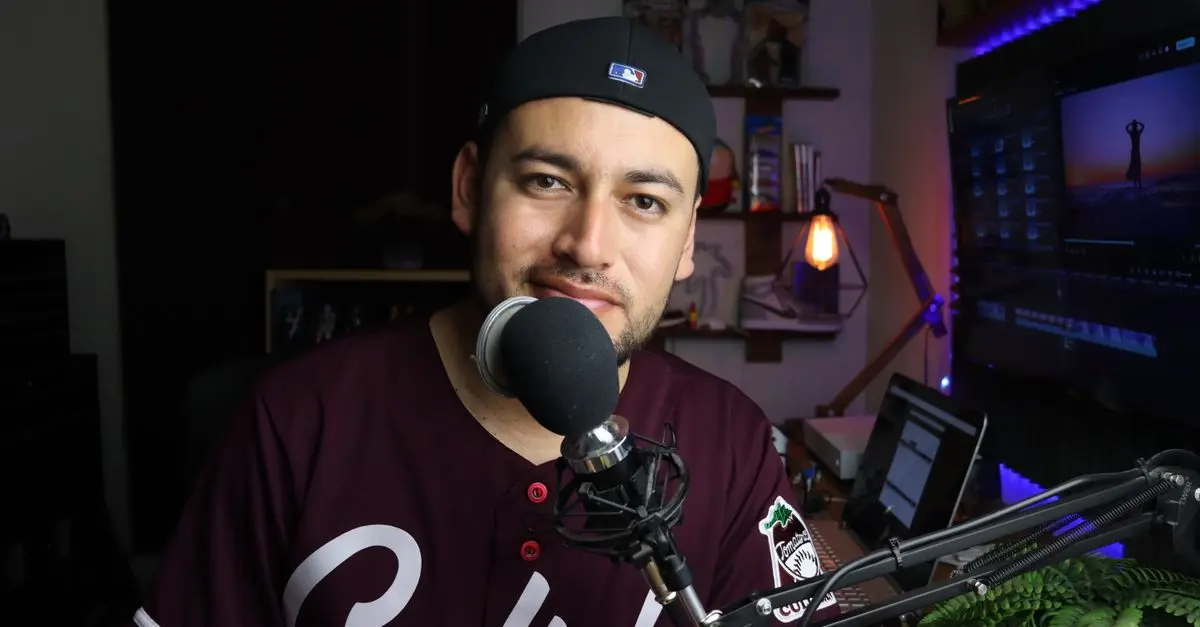
A quality microphone is vital, but it doesn't have to be expensive. Consider USB microphones like the Blue Yeti or Audio-Technica ATR2100x, which are excellent for beginners and offer good sound quality at a reasonable price. Avoid condenser mics in untreated rooms, as they pick up too much ambient noise.
3. Source Simple Recording Equipment
Leverage your computer for initial recordings. Free software like Audacity or GarageBand handles basic editing needs. Ensure your recording space is quiet, and consider using soft furnishings to deaden sound reflections.
4. Craft Engaging Content
The heart of your podcast is content. Create an outline for each episode with a clear introduction, main discussion points, and a conclusion. Include hooks to keep listeners engaged.
5. Edit and Produce
Editing sharpens your podcast’s sound and narrative. Use editing software to remove errors and improve audio clarity. Many podcasters recommend including intro and outro music to provide a professional touch.
6. Publish and Promote
Publishing platforms like Anchor or Buzzsprout can distribute your podcast to Spotify, Apple Podcasts, and other outlets. Promote episodes through social media, engaging your audience with visuals and quotes from your podcast.
Comparative Analysis
| Feature | USB Microphones | XLR Microphones | Lavaliere Microphones | Verdict |
|---|---|---|---|---|
| Use Case | Solo, beginner-friendly | Professional setups | Mobile interviews | USB for starters and portability |
| Price Range | $50 - $150 | $100 - $500 | $20 - $100 | USB is cost-effective for beginners |
| Sound Quality | Good for price | Excellent with setup | Variable | XLR excels but needs more investment |
| Setup Ease | Plug-and-play | Requires interface | Easy clip-on | USB wins for simplicity |
📺 Video Resource
> 📺 For further insights: How to Start a Podcast with Limited Gear, a comprehensive analysis of starting steps. Search on YouTube: start podcast with minimal equipment
- How much does it cost to start a podcast?
Starting can be budget-friendly, with essential equipment costing under $200.
- Do I need a professional studio?
Not necessary. A quiet space and minimal equipment suffice.
- What is the best free editing software?
Audacity for PC and GarageBand for Mac are popular.
- Can I record a podcast on my phone?
Yes, with apps like Anchor and a good mobile microphone.
Glossary
| Term | Definition |
|---|---|
| Podcast | A digital audio file available for streaming or download. |
| USB Microphone | A microphone connecting directly to a computer via USB. |
| Editing Software | Software used to modify and enhance audio recordings. |
Checklist before Launch
- [ ] Define podcast concept and audience.
- [ ] Acquire a suitable USB microphone.
- [ ] Set up basic recording space.
- [ ] Draft episode outlines.
- [ ] Edit and add music.
- [ ] Select a publishing platform.
🧠 Quiz rapide : What is a key benefit of using a USB microphone?
- A) Complex setup
- B) Cost-effectiveness
- C) Only for professionals
Réponse : B — USB microphones are cost-effective and easy to use for beginners.