Table of Contents (13 sections)
In recent years, the concept of a smart home system has gained immense popularity, revolutionizing our daily lives. Smart home technology involves connecting devices and appliances to the internet, allowing users to control them remotely via smartphones or voice commands. As of 2026, having a robust smart home system not only enhances convenience but also boosts energy efficiency and security.
Why Opt for Premium Gadgets?
Choosing premium gadgets ensures enhanced functionality, longevity, and compatibility within your smart ecosystem. These devices often come with advanced features that cheaper options lack, such as superior security protocols, more intuitive interfaces, and seamless integration with other tech. Investing in quality products can save you time and money in the long run by minimizing maintenance issues and enhancing the overall user experience.
Step 1: Assess Your Needs and Budget
Before diving into the world of smart technology, it’s crucial to evaluate your specific needs and budget. Consider what aspects of your home you wish to automate. This may include lighting, security, heating, and entertainment systems. Also, assess how much you're willing to spend. According to industry experts, a well-thought-out budget typically ranges from $1,000 to $5,000 for a full smart home setup, depending on the complexity of the desired system.
Here’s a quick checklist to help you get started:
- Identify which areas of your home you want to automate.
- List the devices you currently have and their compatibility with smart systems.
- Set a realistic budget that accounts for installation, maintenance, and potential upgrades.
Pro Tip: Opt for devices that offer compatibility with multiple platforms like Amazon Alexa, Google Assistant, or Apple HomeKit to ensure flexibility in expanding your system.
Step 2: Choose a Central Hub
A central hub or a smart speaker acts as the brain of your smart home system. This device connects all your smart gadgets, allowing them to communicate and work together. Many prefer using smart speakers due to their added functionality like voice control and music streaming.
When selecting a central hub, here are some popular options:
- Consider hubs that support multiple protocols such as Zigbee, Z-Wave, or Wi-Fi for enhanced compatibility.
- Ensure the hub receives regular software updates for security and functionality improvements.
- Look for hubs that can seamlessly integrate with your existing devices.
A recent survey found that nearly 70% of smart home users report increased convenience after implementing a centralized control system, making it an essential step for any new setup.


eufy FamiLock S3 Max + Video Doorbell E340 + eufy Smart Display E10 White
eufy.com
Step 3: Install Smart Lighting
One of the easiest ways to start building your smart home system is by installing smart lighting. Smart bulbs can change colors, dim, and be programmed to turn on or off at specific times. This not only elevates your space but also saves energy.
Why Smart Lighting?
- Energy Efficiency: Smart lighting systems can significantly reduce electricity usage by allowing you to schedule and remotely control lights.
- Enhanced Security: Setting lights to mimic your presence can deter potential thieves.
- Customization: You can tailor the lighting to fit moods or activities.
Begin by replacing standard bulbs with smart bulbs in your most-used areas. Connect them to your central hub for full control through your smartphone or voice assistant.
Step 4: Upgrade Your Security System
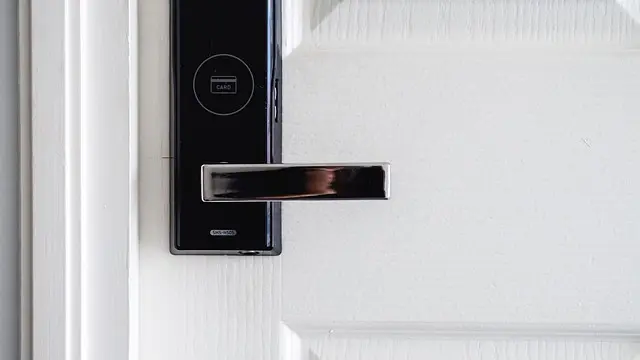
As security is a top priority for homeowners, integrating a smart security system is crucial to a comprehensive smart home system. This includes smart locks, cameras, and alarm systems which can be monitored and controlled remotely.
Key Features to Look For:
- Real-Time Notifications: Ensure your system provides alerts for unusual activity.
- Remote Access: Access camera feeds and unlock doors while you’re away.
- Integration: Make sure your security system can integrate easily with other smart devices.
Approximately 60% of robberies are planned, making visible smart security systems a strong deterrent.
Step 5: Connect Smart Thermostats
Finally, consider installing a smart thermostat to manage your home’s heating and cooling efficiently. Smart thermostats learn your schedule and adjust the temperature accordingly, leading to significant energy savings.
Benefits of Smart Thermostats:
- Energy Savings: Homeowners can save on their energy bills by optimizing temperature settings based on their habits.
- Remote Control: Adjust the temperature from anywhere using smartphone apps.
- Eco-Friendly: Many models offer energy reports, showing how much energy you're using and ways to improve efficiency.
Did You Know? According to the U.S. Department of Energy, smart thermostats can save homeowners up to 10-12% on heating bills and 15% on cooling bills, which can quickly add up.
Step 6: Integrate Other Smart Devices
The final step is to complement your system with other smart gadgets. This could include smart speakers, appliances, and entertainment systems that align with your needs. Connecting various devices enhances the interactivity of your smart home system.
When expanding your system, keep these tips in mind:
- Ensure all devices are compatible with your central hub.
- Look for accessories that serve specific needs, such as smart fridges or automated coffee makers.
- Regularly check for firmware updates to keep your devices functioning optimally.


WHALL - 4-in-1 UV Mattress Vacuum Cleaner, 21KPa Anti-Mite Bed Vacuum with Hot Air & LED Display
bestbuy.com

Checklist before Installation
- [ ] Assess your needs and set a budget.
- [ ] Choose a central hub that supports your devices.
- [ ] Install smart lighting in key areas.
- [ ] Upgrade to a smart security system.
- [ ] Connect a smart thermostat for efficient energy management.
- [ ] Expand with additional smart devices that complement your setup.
Glossary
| Terme | Définition |
|---|---|
| Smart Home System | A network of devices that communicate and can be controlled remotely for enhanced convenience and efficiency. |
| Central Hub | The device that connects all your smart devices, enabling them to work together and be controlled from a single point. |
| Smart Thermostat | A device that manages home heating and cooling systems intelligently, optimizing energy usage based on user habits. |
📺 Resource Video
> 📺 For a deeper understanding: How to set up your Smart Home, a comprehensive guide on configuring your devices for maximum efficiency. Search on YouTube: smart home setup guide 2026
🧠 Quick Quiz: What is the primary advantage of using a smart thermostat?
- A) Increased electricity consumption
- B) Reduced energy costs
- C) Enhanced security
Answer: B — Smart thermostats optimize heating and cooling, leading to significant cost savings.
📺 Pour aller plus loin : how to set up a smart home system 2026 sur YouTube
Recommended products
Selected by our experts


eufy Permanent Outdoor Lights S4 (150ft with 108 LED Lights) +Free eufy Outdoor String Lights E10 White
eufy.com